
mRemoteNG alternative for Windows, Linux and macOS.
XTermium is a free, open-source session manager with a terminal: RDP, VNC, SSH and more in tabs and split panes, on Windows, Linux and macOS. Here is what each one is, and how to move over.
What mRemoteNG is.
From its own site, mremoteng.org, read on 4 November 2026:
- An open-source, tabbed remote connections manager for Windows.
- It supports RDP, VNC, SSH, HTTP/S and more.
- Released under the GNU GPL v2.
mRemoteNG and XTermium, side by side.
The same ten questions, asked of both. Each answer is what the tool’s own pages say, with no scores and no prices of theirs.
| Side by side | XTermium | mRemoteNG |
|---|---|---|
| Connections | SSH, SFTP, RDP, VNC, telnet, serial, WinRM, BMC consoles and websites | RDP, VNC, SSH, HTTP/S and more |
| Systems | Windows, Linux and macOS | Windows |
| Price | Free. Pro, for sync and Terminal Co-op: €2.99 a month or €29.99 a year, excluding VAT | No price on its site; open source |
| Licence | Apache-2.0; the sync server is proprietary | GNU GPL v2 |
| Tabs | Tabs and split panes, with broadcast typing | A tabbed connections manager |
| Saved sessions | A folder tree with search, workspaces and shared logins | Connections, exported as XML or CSV; its docs also cover keeping them in SQL Server |
| SFTP | A file panel beside SSH and VNC tabs, on the same connection | SSH File Transfer, over SFTP or SCP |
| Tunnels | Local, remote and SOCKS5, with live traffic | An SSH tunnelling how-to in its docs |
| Sync | With Pro, end-to-end encrypted | Not mentioned on its site |
| Import | MobaXterm .ini or .mxtsessions, ~/.ssh/config, .xtermium exports | An exported XML or CSV file, computers from an Active Directory OU, or a port scan |
mRemoteNG’s column is from its own site, mremoteng.org, and its documentation at mremoteng.readthedocs.io, read on 4 November 2026. XTermium’s column comes from its README. “Not mentioned on its site” means the pages read don’t say, not that mRemoteNG lacks it.
What XTermium is.
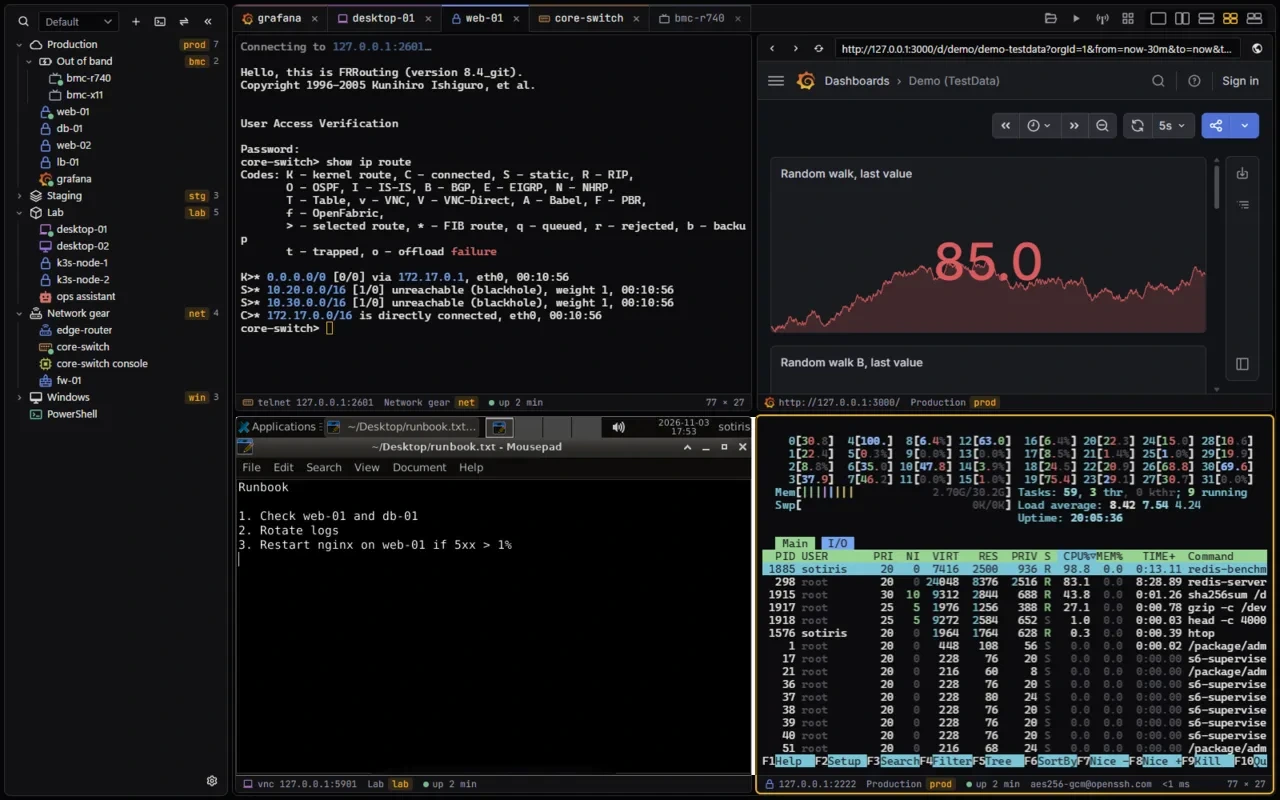
If you use mRemoteNG, XTermium is a tabbed connections manager too, but it isn’t tied to Windows: it runs on Windows, Linux and macOS. RDP desktops open in a tab through IronRDP and reconnect on their own, VNC desktops follow the pane’s size, and SSH, telnet, serial, WinRM, websites and BMC consoles sit beside them in one sidebar. Split an RDP desktop next to an SSH terminal, or tile every tab you tick, and a saved layout puts the whole screen back in one click. Instead of a connections file, your sessions live in an encrypted file on your own disk, under a key in your OS keychain. One shared login holds a user, password and key for any number of RDP, VNC, SSH and WinRM sessions. An SFTP panel opens beside SSH tabs, on the same connection. XTermium is free under the Apache License 2.0, and Pro syncs it between your computers, end-to-end encrypted.
Moving over from mRemoteNG.
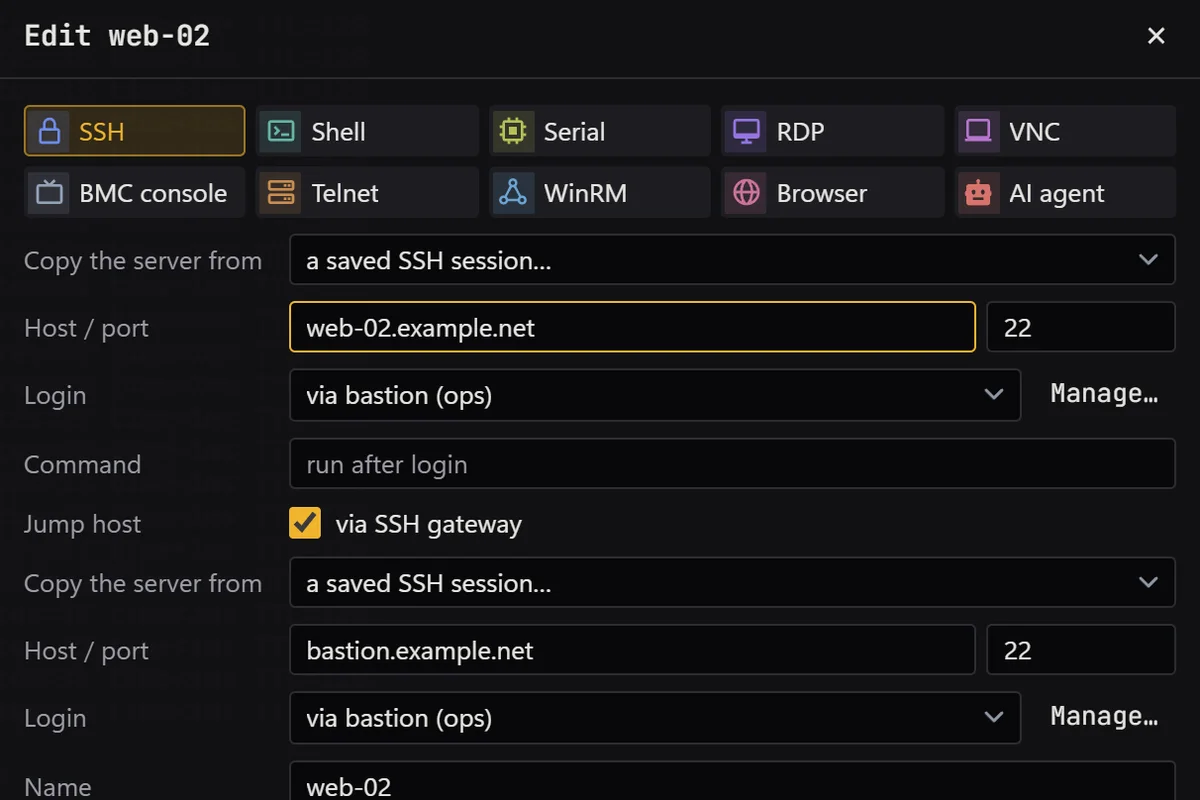
XTermium doesn’t read mRemoteNG’s connection files, so add your hosts to folders in the sidebar, or import your ~/.ssh/config for the SSH ones. Keep each Windows or Linux password in a shared login once, and let every RDP, VNC, SSH and WinRM session pick it.
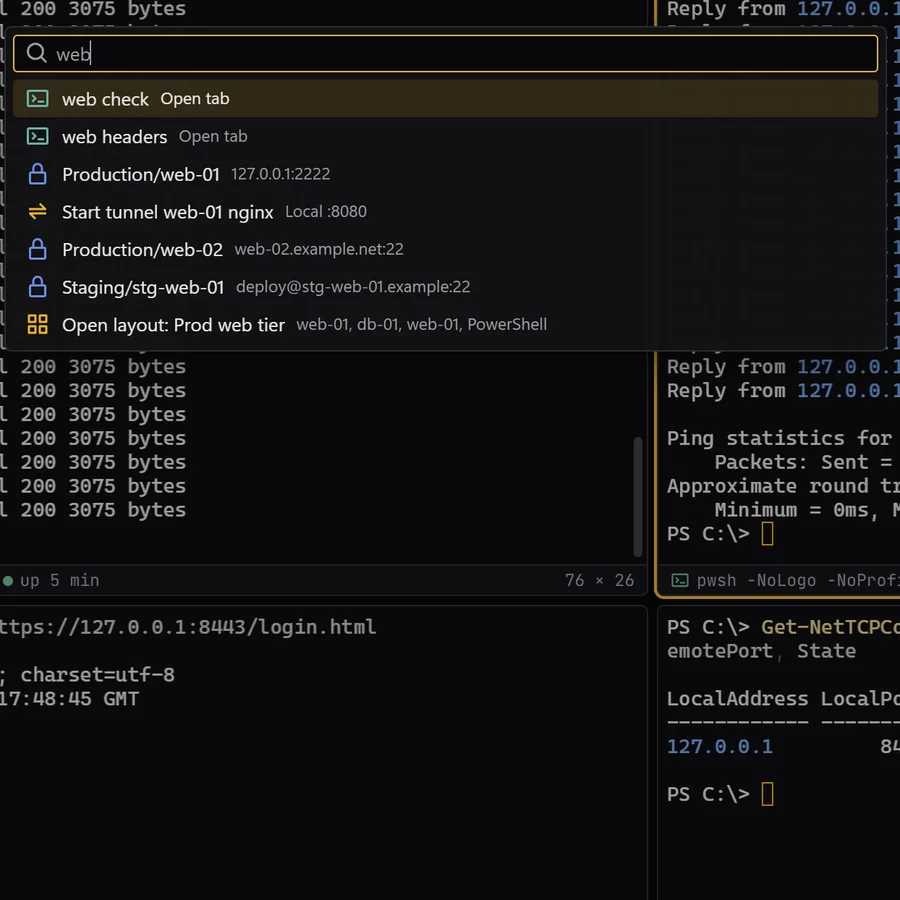
Saved layouts put a whole screen of sessions back, each in its pane, in one click.
When to stay with mRemoteNG.
Stay with mRemoteNG if it fits a Windows-only setup you already have. It may fit better when:
- You import computers from Active Directory or from a port scan. XTermium can’t.
- Your team keeps its connections in a SQL database that mRemoteNG reads. XTermium keeps them in its own encrypted file, synced between your computers by Pro.
- Your connections file works for you and you only use Windows. XTermium doesn’t read that file, so moving means adding hosts again.
Free and open source.
XTermium is free and open source under the Apache License 2.0: every connection type, on every OS, on any number of machines. Pro, the one paid plan, is the hosted part: end-to-end encrypted sync between your computers, and Terminal Co-op.
Pro costs €2.99 a month or €29.99 a year, excluding VAT, and its checkout is in test mode for now. Pricing.
Questions about moving from mRemoteNG.
Can XTermium read my mRemoteNG connections file?
No. Add your hosts to folders in the sidebar, or import your ~/.ssh/config for the SSH ones. Keep each password in a shared login once, and every RDP, VNC, SSH and WinRM session can pick it.
Is XTermium open source like mRemoteNG?
Yes, under the Apache License 2.0, with its source on GitHub. The sync server and the hosted sync service are proprietary; the app talks to them through an open API.
Does it run on Linux and macOS?
Yes. Windows 10 and 11 (x64) get an installer, an .msi, a portable .zip or Scoop; Linux gets a .deb, an .rpm or an AppImage; macOS gets one universal .dmg for Apple silicon and Intel, not signed by Apple yet.
Where does XTermium keep passwords?
Encrypted on disk with XChaCha20-Poly1305, under a key in your OS keychain. A recovery passphrase brings them back on a new computer. The credentials page has the details.
Read next.
SSH client
SSH sessions, SFTP, jump hosts and tunnels, in tabs.
Read more about SSH clientRemote desktop
RDP, VNC, BMC consoles, WinRM and serial beside your terminals.
Read more about Remote desktopAI agents
A local MCP server and agent tabs that never see a password.
Read more about AI agentsCredentials
Shared and saved logins, encrypted on disk, kept out of exports.
Read more about CredentialsScreens
Every capture of the running app, with demo data.
See the screens about Screens
Get it for Windows, Linux or macOS.
Free and open source. One command fetches the latest build from GitHub, checks its sha256 and installs it; read install.ps1 or install.sh first. Every file and its checksum, Scoop included, are under Downloads, and the .msi, .exe, .zip, .deb, .rpm, AppImage and .dmg are in the latest release on GitHub. The macOS app is not signed by Apple yet: how to open it the first time.
WindowsWindows 10 and 11
irm https://xtermium.com/install.ps1 | iexLinuxx64: .deb, .rpm or AppImage
curl -fsSL https://xtermium.com/install.sh | shmacOSApple silicon and Intel: one universal .dmg
curl -fsSL https://xtermium.com/install.sh | sh