
SSH client screenshots.
XTermium’s SSH client, captured running with demo data: sessions, SFTP on the same connection, tunnels and the tools around them. The SSH client page says what it does; every capture is on the screens page.
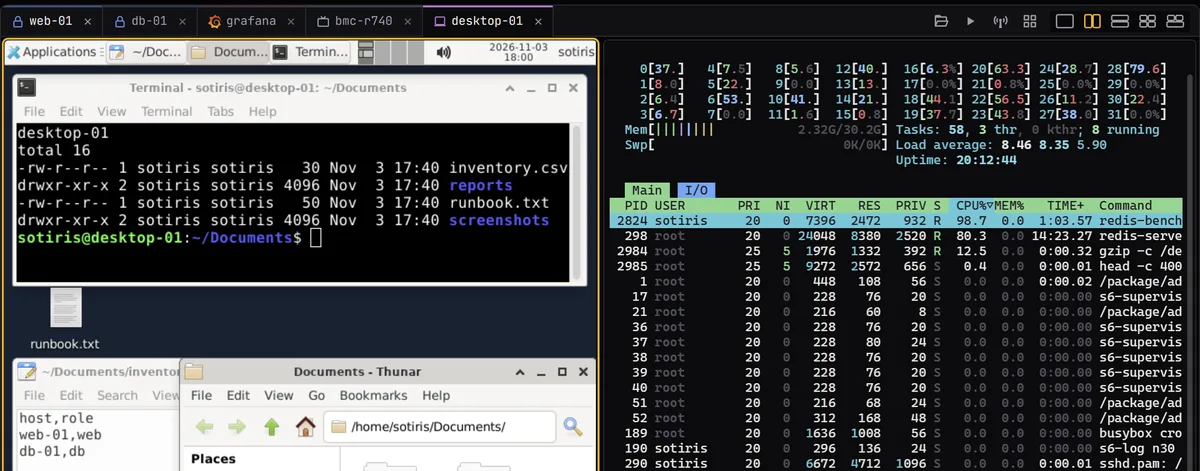
Every picture here is the real XTermium, captured on 3 November 2026 with demo data: the user is sotiris, and the servers are containers on 127.0.0.1. web-01 runs htop with redis-benchmark keeping a core busy, and db-01 answers psql with the pgbench tables of a demo shop. The SFTP panels list the /config/deploy and /config/backups folders beside the shell, each file with its size and date.
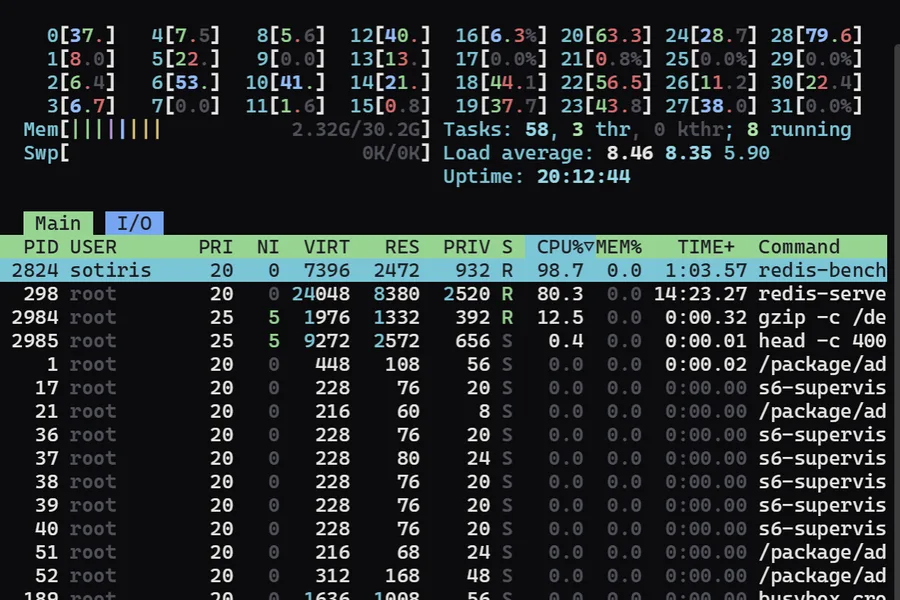
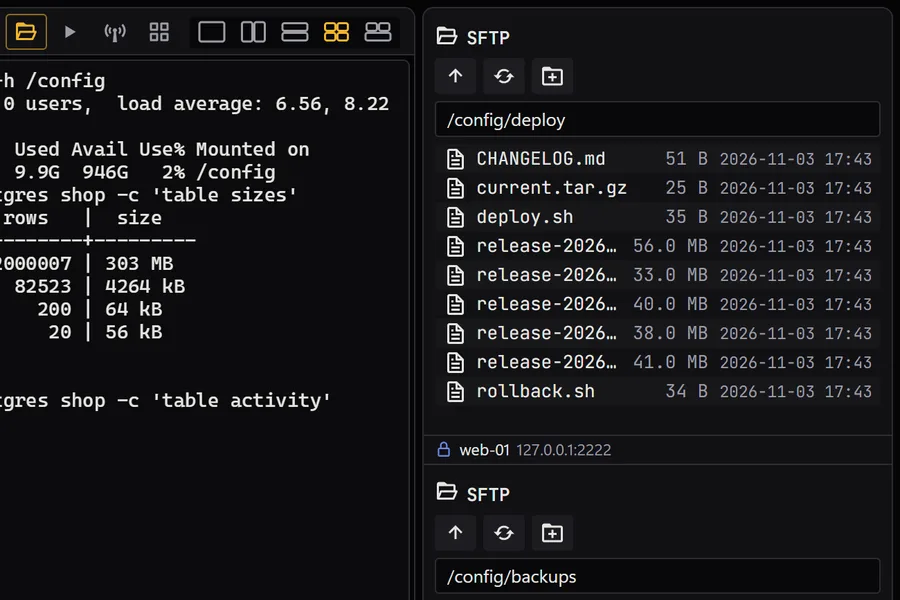
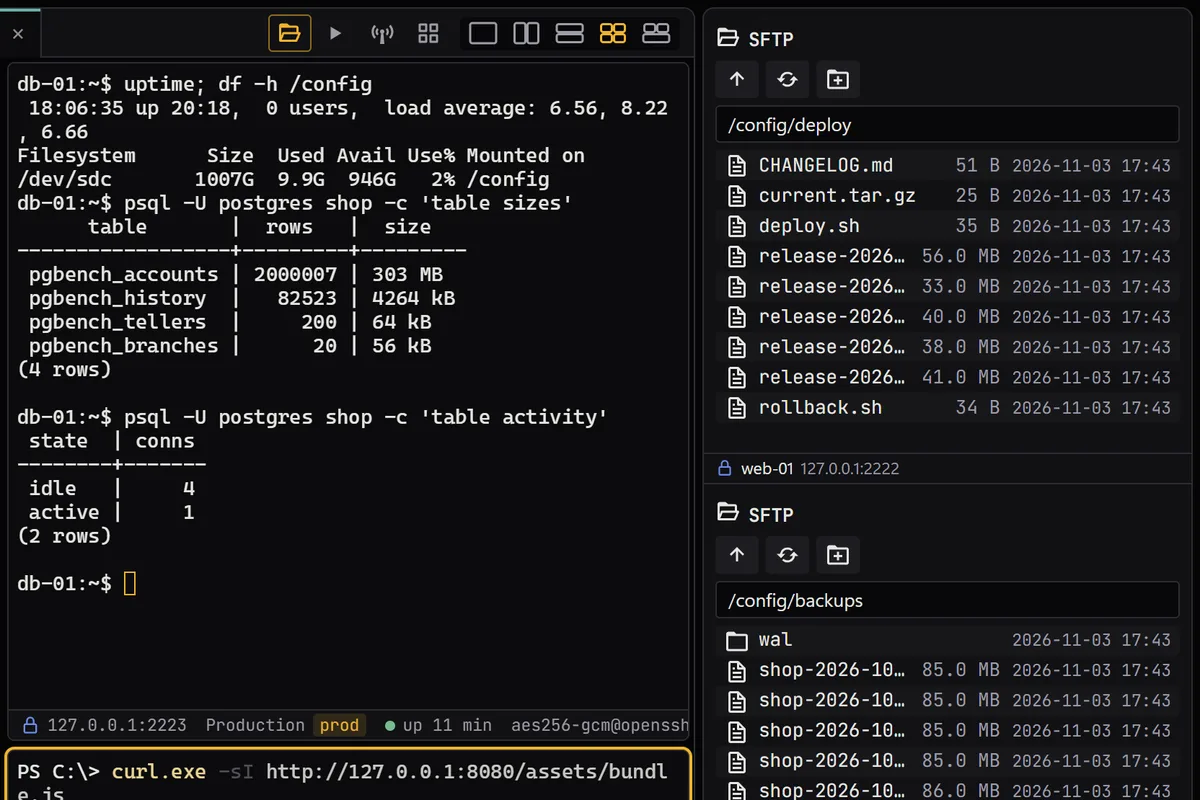
What the captures show.
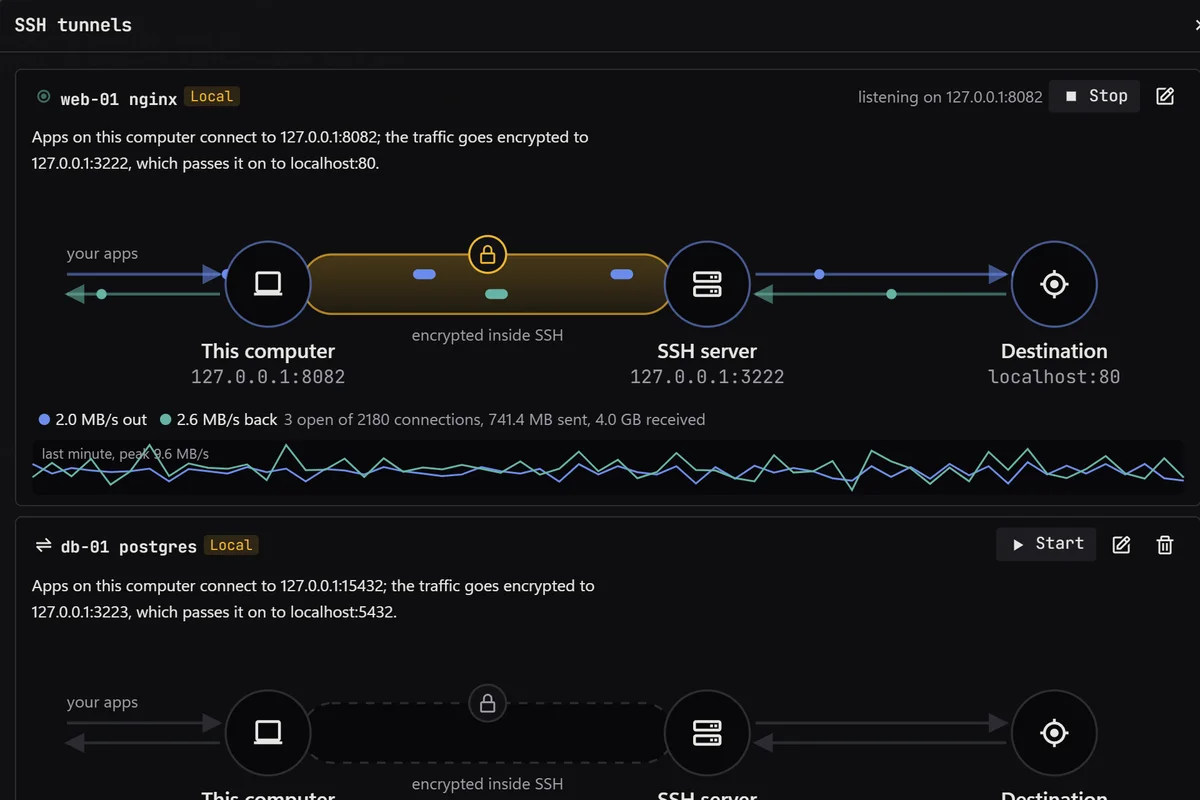
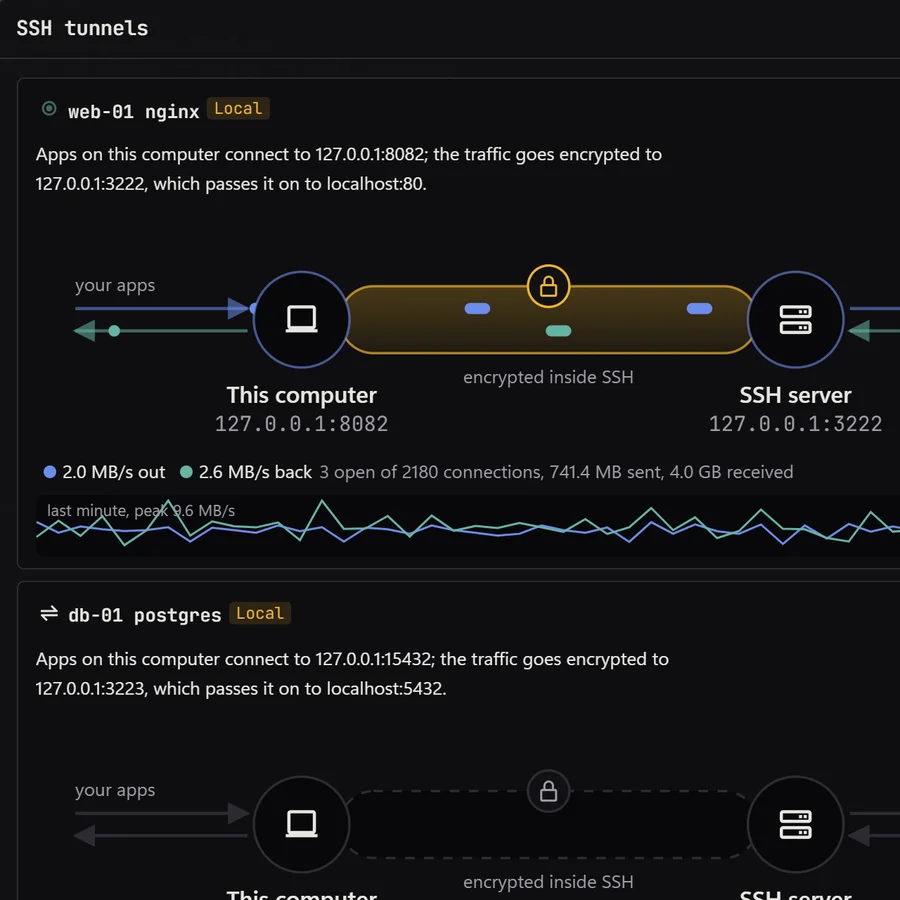
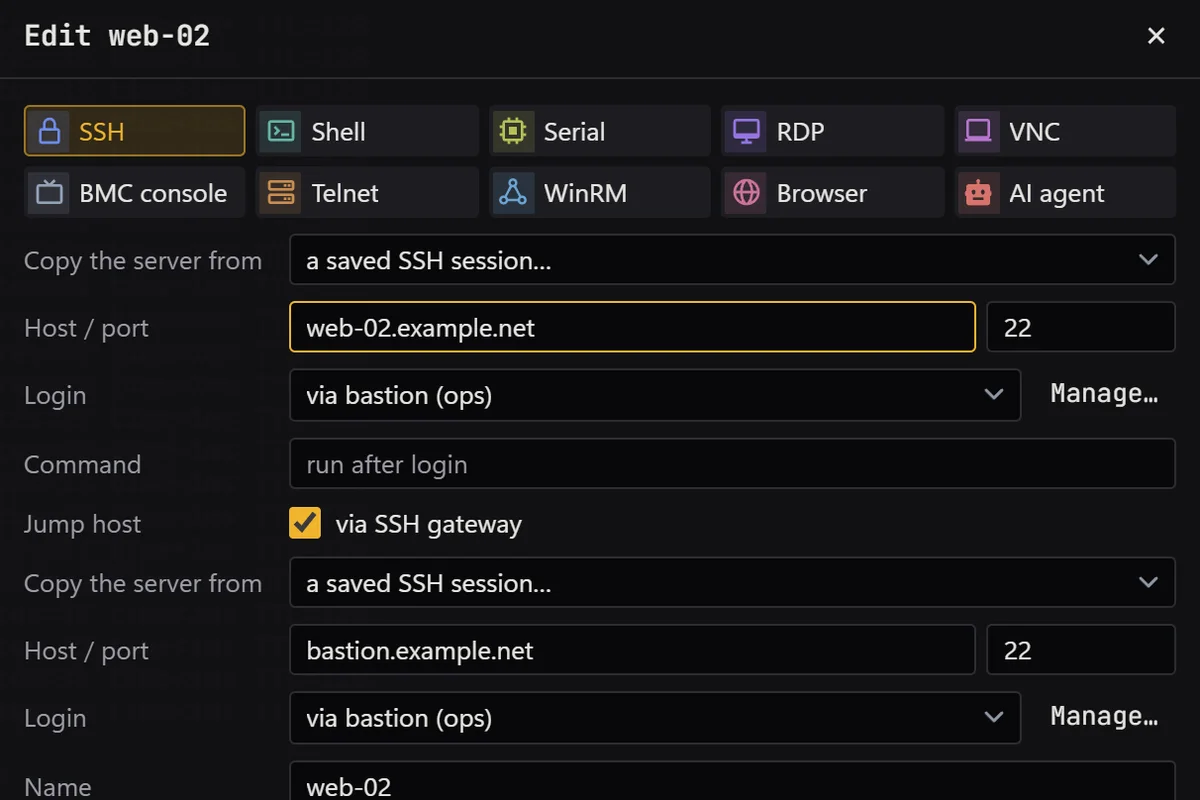
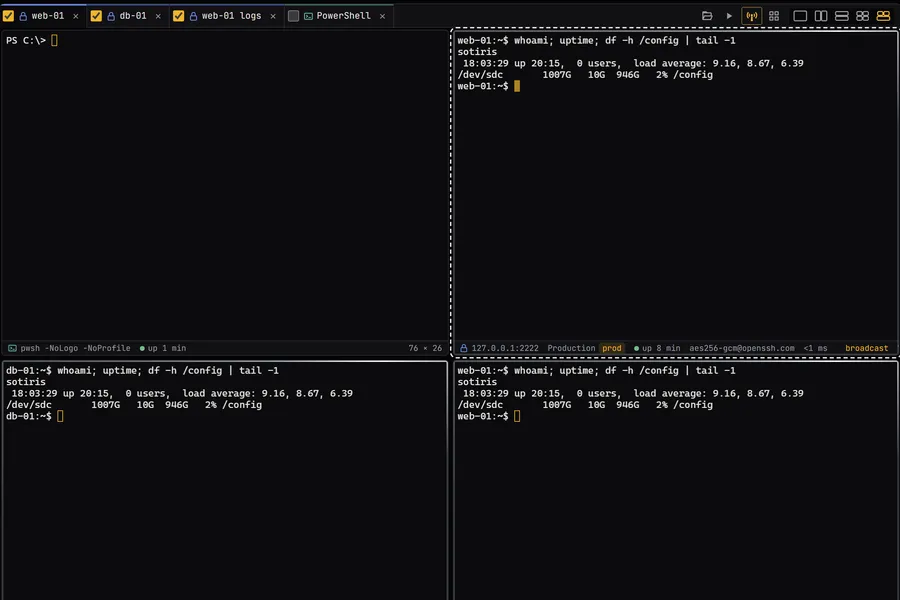
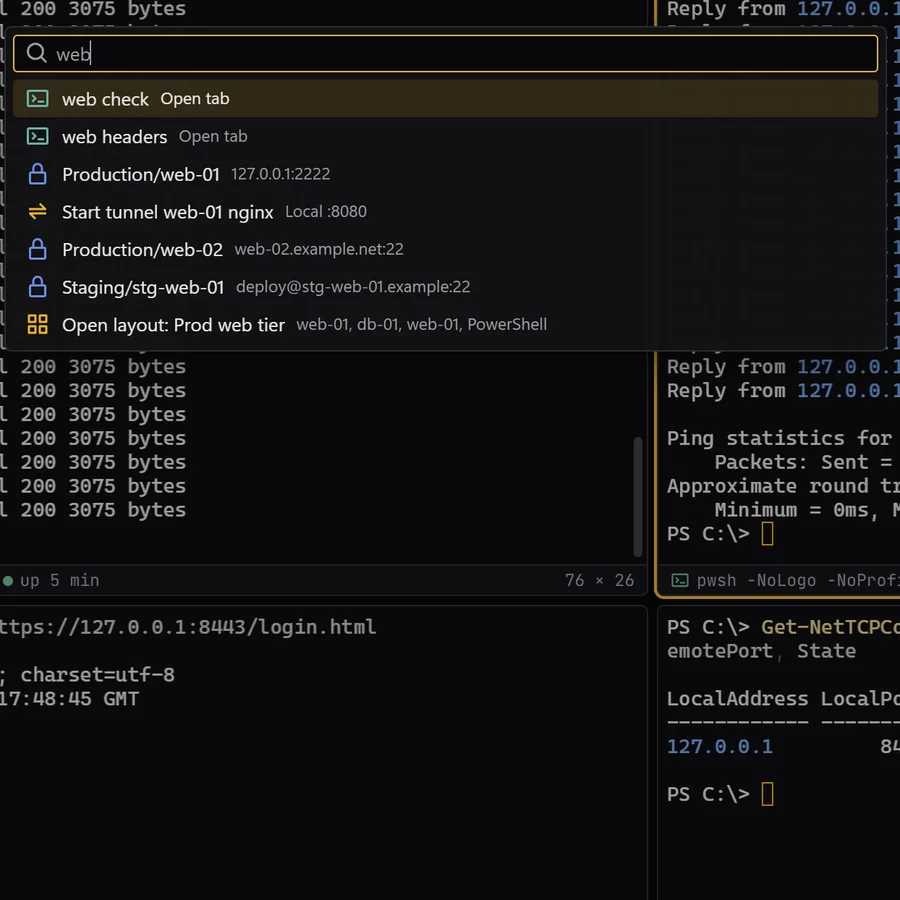
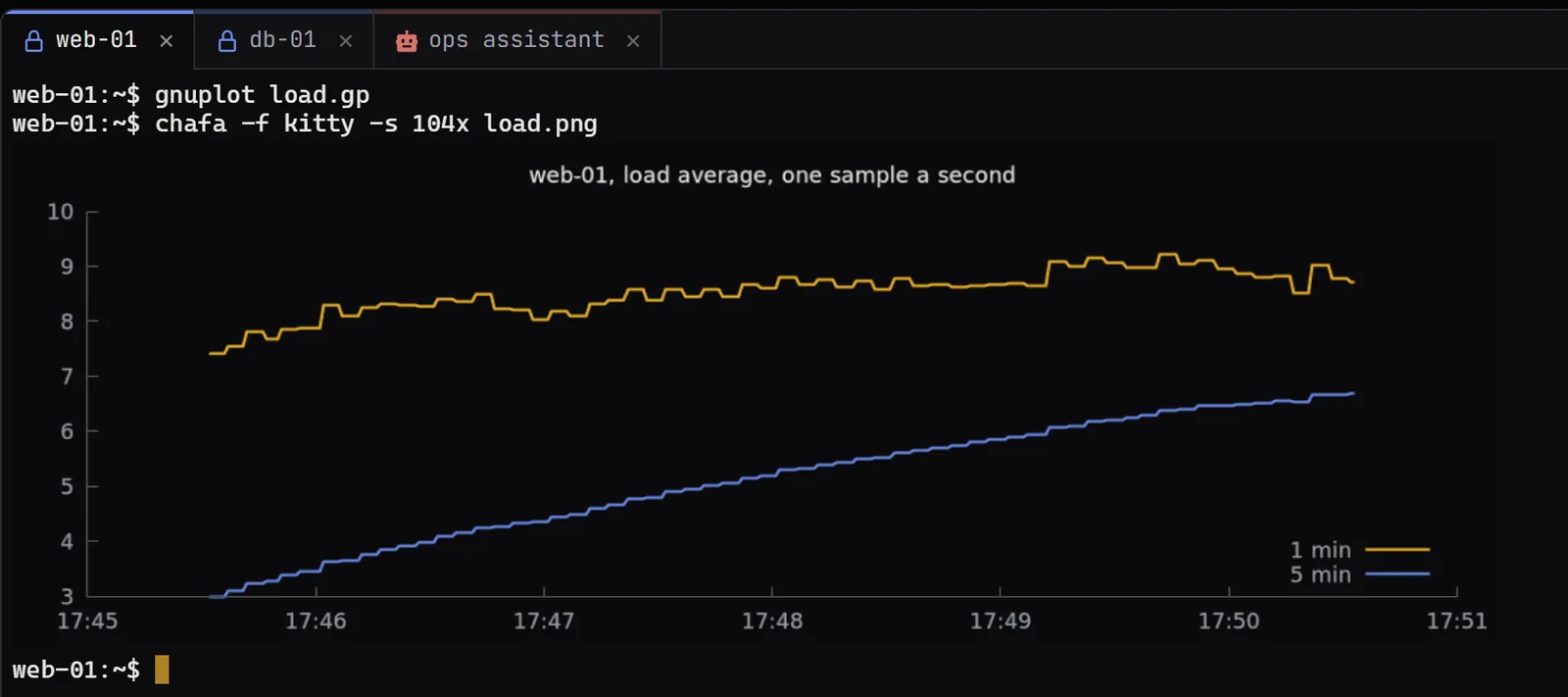
The tunnels pane shows web-01’s nginx tunnel carrying traffic from 127.0.0.1:8082, through the SSH server, to port 80, with throughput each way and a sparkline of the last minute, while db-01’s postgres tunnel waits to be started. The session editor has web-02 signing in with the shared login “via bastion (ops)” through an SSH gateway on bastion.example.net, a reserved example host. In the broadcast capture, three ticked tabs run the same whoami, uptime and df line. The command palette, with web typed in, finds sessions, tabs, a tunnel and the saved layout “Prod web tier”. The last picture is a chart of web-01’s load average, drawn by gnuplot and shown with chafa over SSH. Open any capture for its full size; the arrow keys step through them.
Get it for Windows, Linux or macOS.
Free and open source. One command fetches the latest build from GitHub, checks its sha256 and installs it; read install.ps1 or install.sh first. Every file and its checksum, Scoop included, are under Downloads, and the .msi, .exe, .zip, .deb, .rpm, AppImage and .dmg are in the latest release on GitHub. The macOS app is not signed by Apple yet: how to open it the first time.
WindowsWindows 10 and 11
irm https://xtermium.com/install.ps1 | iexLinuxx64: .deb, .rpm or AppImage
curl -fsSL https://xtermium.com/install.sh | shmacOSApple silicon and Intel: one universal .dmg
curl -fsSL https://xtermium.com/install.sh | sh