
AI agent screenshots.
A real Claude Code run in an XTermium tab, the MCP server’s settings and the command line, captured with demo data. The AI agents page says what it does; every capture is on the screens page.
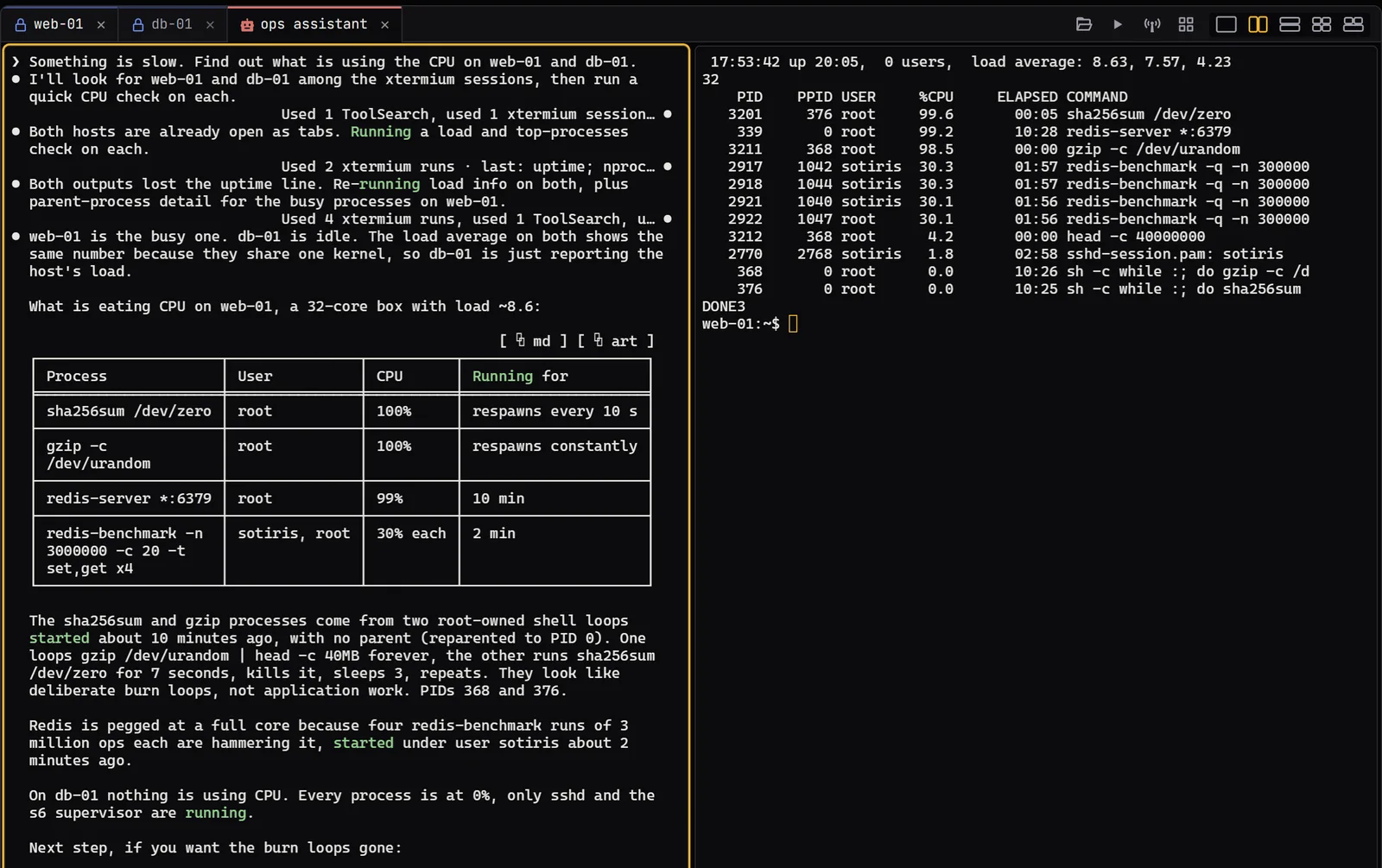
These captures show XTermium’s agent side with demo data, taken on 3 November 2026. In the first, Claude Code runs in an agent tab named “ops assistant”, asked what is using the CPU on web-01 and db-01. It found both hosts already open as tabs, ran its checks in web-01’s terminal, beside it, and answered with a table: two shell loops running sha256sum and gzip, and a redis-server under four redis-benchmark runs on web-01, while db-01 sat idle.
What the captures show.
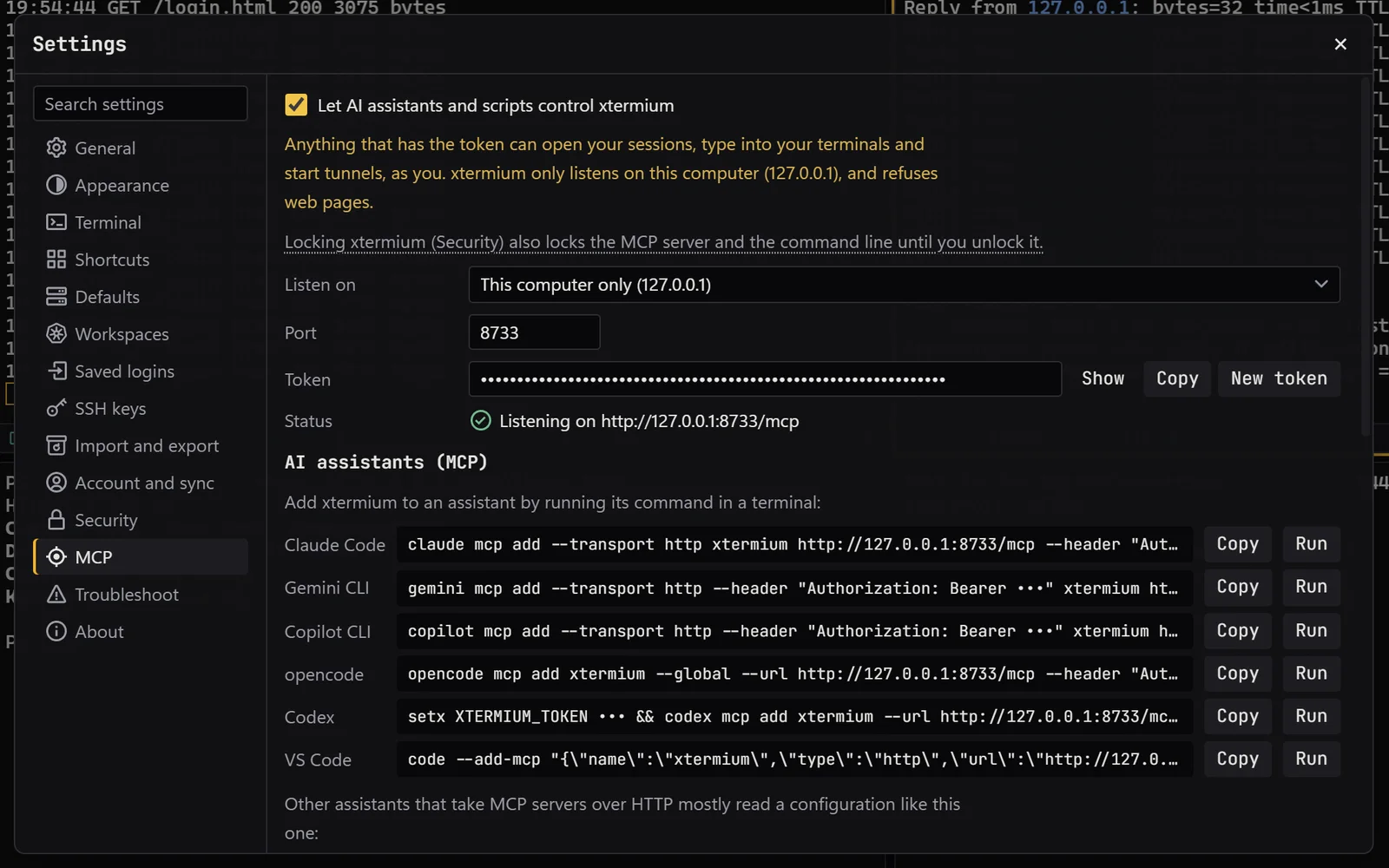
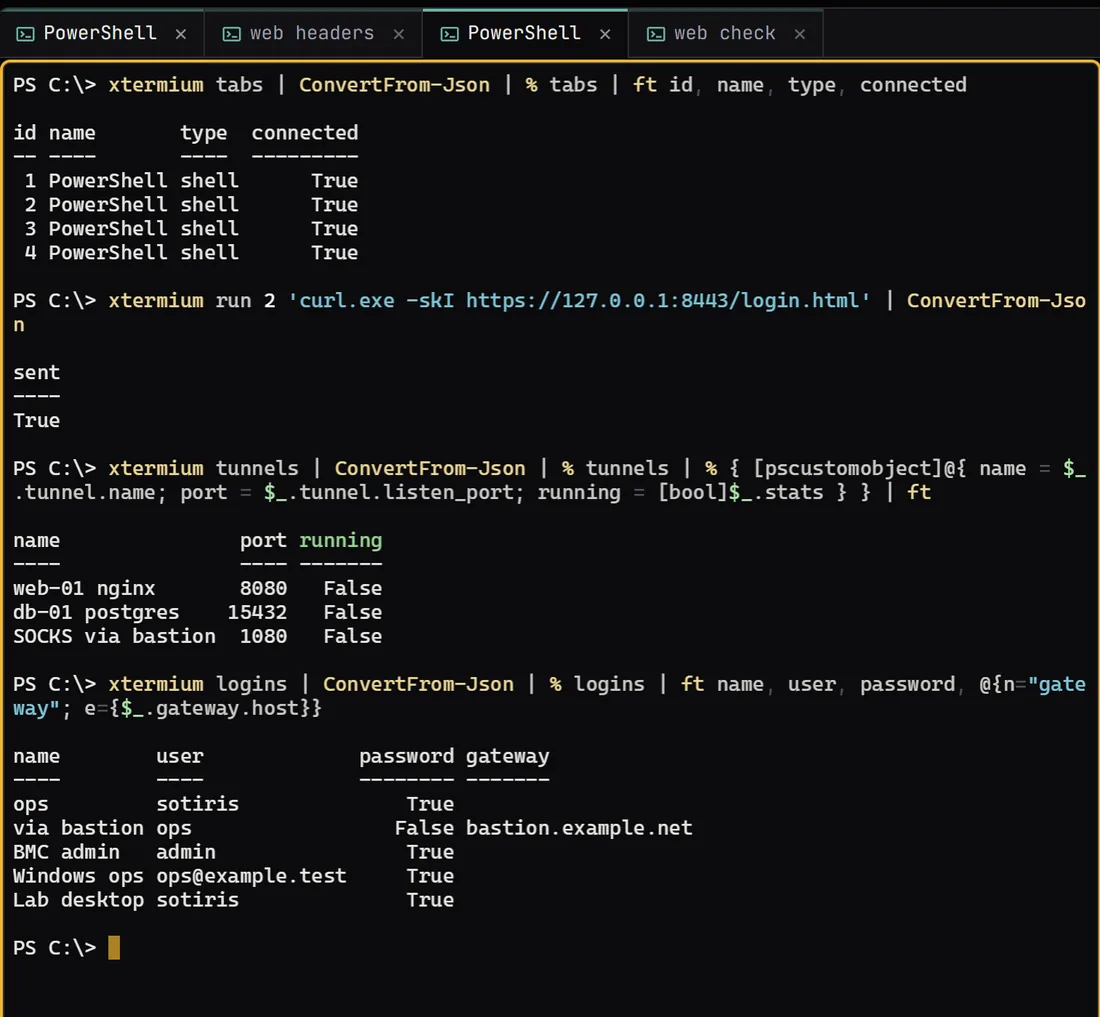
Settings › MCP shows the server switched on for this computer only (127.0.0.1), on port 8733, behind a token, with a ready command for Claude Code, Gemini CLI, Copilot CLI, opencode, Codex and VS Code, each with Copy and Run buttons. The last capture is the xtermium command line in a PowerShell tab: xtermium tabs lists four shells, xtermium run sends a curl.exe command to one of them, xtermium tunnels lists three tunnels, and xtermium logins lists the shared logins with True or False for whether each has a password, never the password itself.
Get it for Windows, Linux or macOS.
Free and open source. One command fetches the latest build from GitHub, checks its sha256 and installs it; read install.ps1 or install.sh first. Every file and its checksum, Scoop included, are under Downloads, and the .msi, .exe, .zip, .deb, .rpm, AppImage and .dmg are in the latest release on GitHub. The macOS app is not signed by Apple yet: how to open it the first time.
WindowsWindows 10 and 11
irm https://xtermium.com/install.ps1 | iexLinuxx64: .deb, .rpm or AppImage
curl -fsSL https://xtermium.com/install.sh | shmacOSApple silicon and Intel: one universal .dmg
curl -fsSL https://xtermium.com/install.sh | sh