
RDP and VNC client with tabs, beside your terminals.
Windows desktops over RDP, desktops over VNC, BMC consoles, WinRM and serial ports open as tabs next to your SSH sessions, in one window. Free and open source.
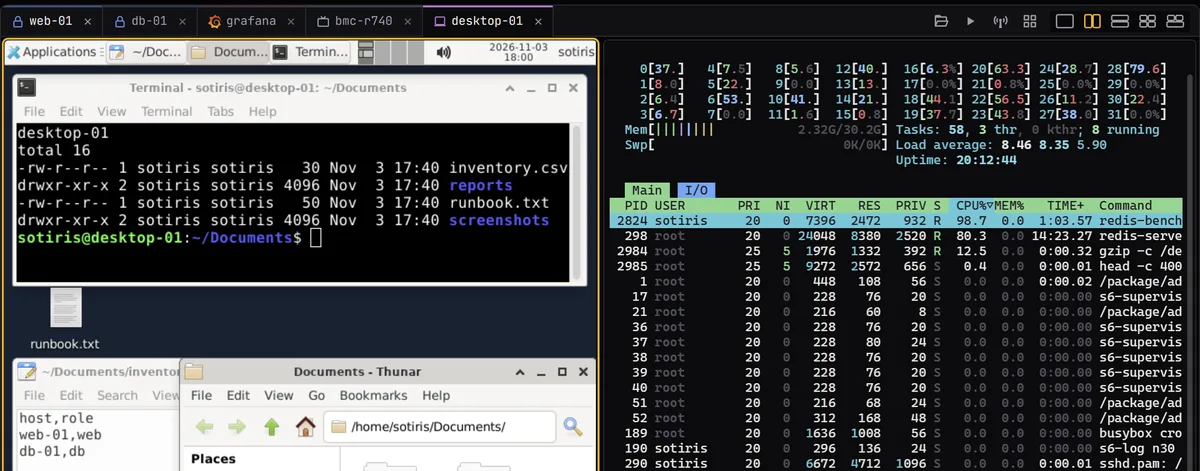
An RDP client with tabs.
RDP desktops open embedded in a tab, through IronRDP, with NLA/NTLM sign-in and the server’s key trusted on first use. Split them with terminals, or move one to its own window and back.
- A connection lost on the network, a laptop waking up or a router restarting, reconnects on its own.
- Keys held when the tab loses the keyboard are let go on the desktop, so none stays stuck. Caps, Num and Scroll Lock follow this computer’s.
- Pasted and typed text arrives intact, accents and AltGr characters included. Shift+Insert or Ctrl+Shift+V types your local clipboard into the session.
- The file panel opens the host’s shared folders (SMB) with the desktop’s login once it’s connected, or asks which account.
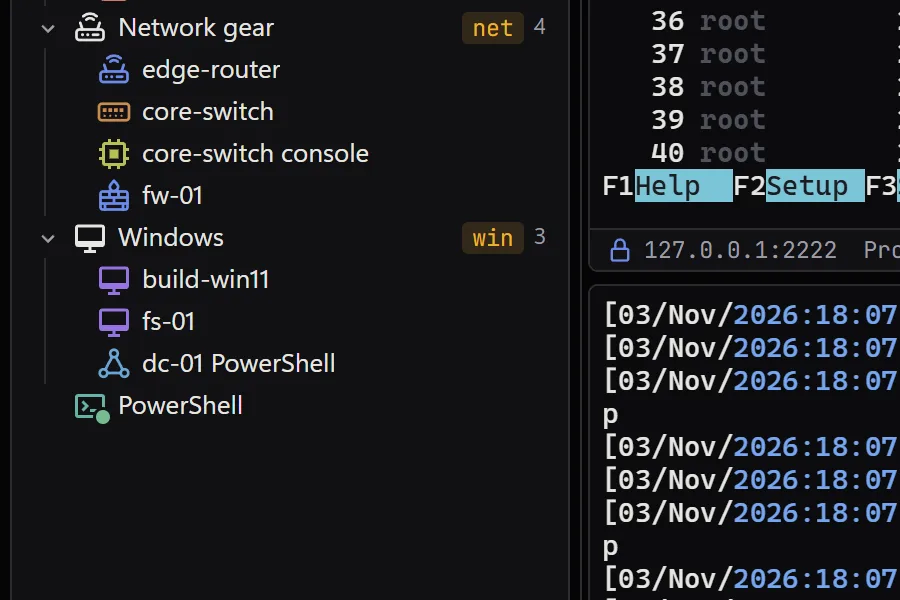
A VNC client in the same window.
VNC desktops open in a tab through vnc-rs, with the ZRLE, TRLE, CopyRect and Raw encodings, and follow the pane’s size where the server allows it. XTermium can remember the VNC password; Settings › Saved logins lists it.
VNC isn’t encrypted, and every connection says so over the desktop, unless it goes through an SSH gateway or a tunnel’s local port. A VNC tab gets a file panel too, over an SSH connection of its own to the desktop’s host.
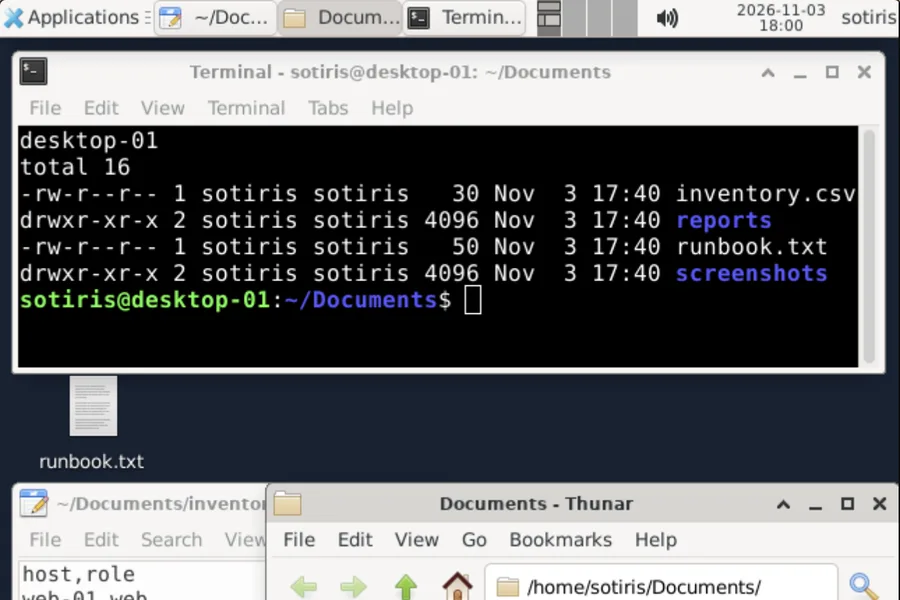
RDP and SSH in one app.
Yes: SSH, SFTP, RDP, VNC, telnet, serial, WinRM, BMC consoles, websites and SSH tunnels live in one sidebar, in folders you search by typing, and open side by side in one window. Split an RDP desktop beside an SSH terminal, or tile every tab you tick. One shared login can sign in to both.
Split any tabs
Side by side, stacked, 2×2 or tiles: tick any tabs, terminals and desktops alike, and each gets a pane sized to fit.
One login for all of them
A shared login’s user, password and key work for SSH, RDP, VNC and WinRM sessions. Its SSH gateway carries RDP and VNC through a forwarded port.
How logins are kept about One login for all of themSaved layouts
A whole screen of sessions, desktops included, back in their panes in one click.
Agents see desktops too
Through the MCP server an assistant takes a screenshot of a remote desktop, then clicks, types and presses keys.
What agents can do about Agents see desktops too
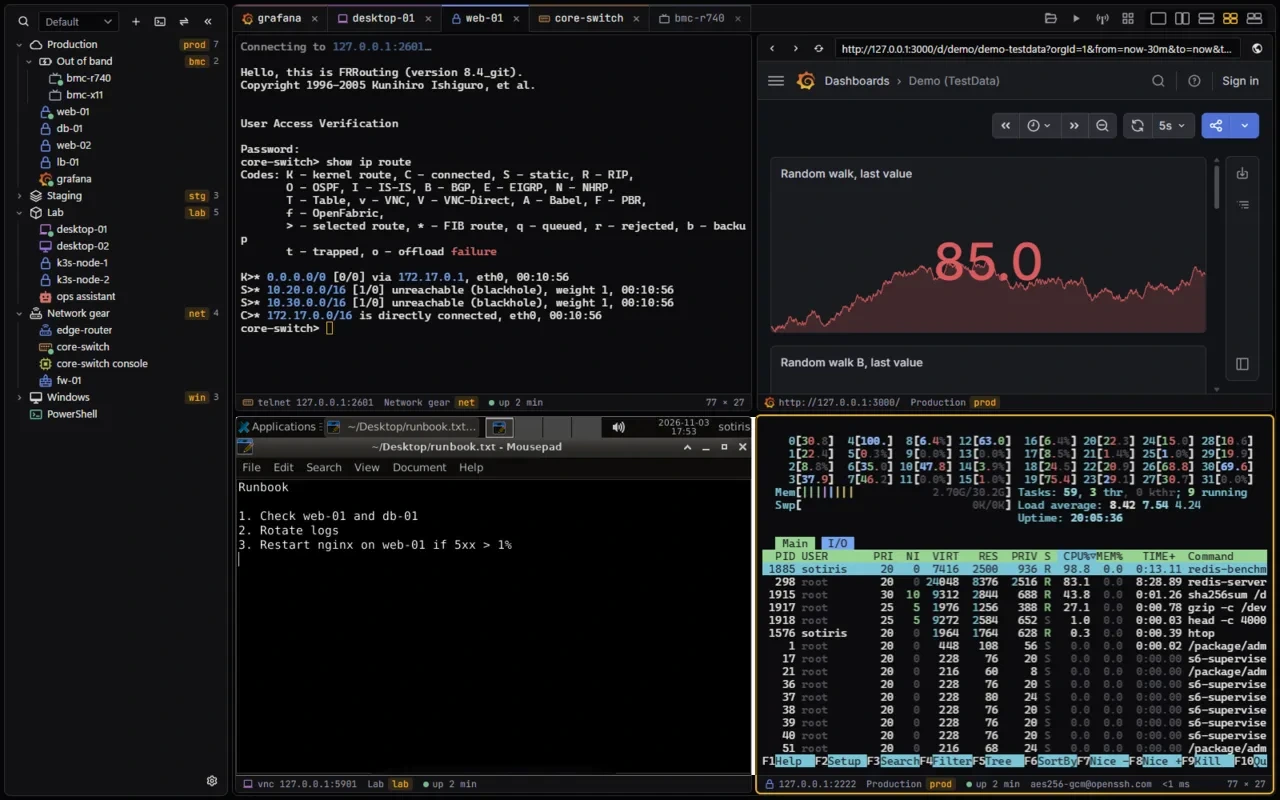
An open-source remote desktop manager.
XTermium is an open-source remote desktop manager for Windows, Linux and macOS, free under the Apache License 2.0. RDP desktops open embedded in a tab through IronRDP, with NLA/NTLM sign-in, and reconnect on their own when the network drops. VNC desktops open in a tab too, and follow the pane’s size where the server allows it. BMC consoles, such as Supermicro and Dell iDRAC, open in a private tab that keeps nothing once it closes, and WinRM opens PowerShell on a Windows host. They all sit in folders in one sidebar, beside your SSH sessions, and split into panes next to your terminals. A shared login signs in to any number of them: change its password once and every session uses the new one. A saved layout puts a whole screen of desktops back, each in its pane, in one click.
- Workspaces keep separate sets of sessions and folders, one dropdown away; tag a folder and search finds every session under it.
- An SSH gateway on a login carries RDP and VNC to hosts you can’t reach directly, through a port forwarded over it.
- Pro syncs the sessions, logins and layouts between your computers, end-to-end encrypted; its checkout is in test mode for now.
BMC and KVM consoles in a tab.
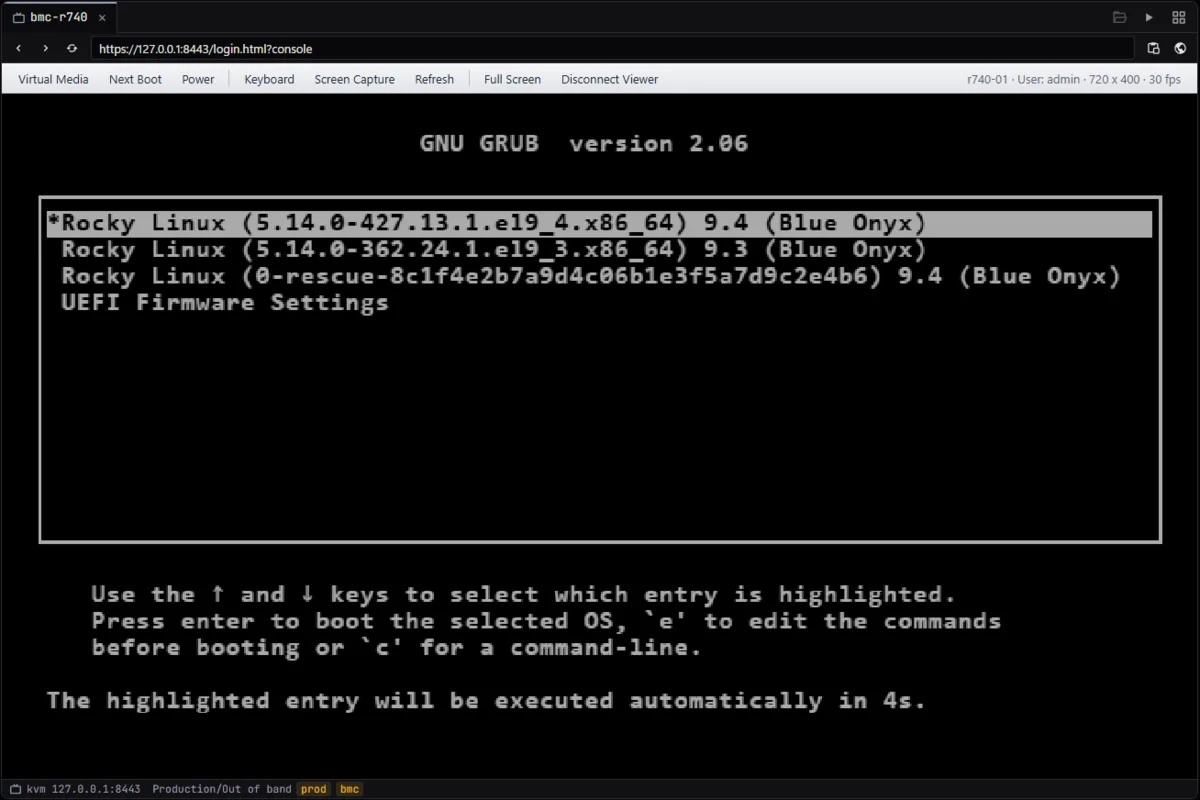
Save a BMC as a session and XTermium signs in with the saved login and opens its console in a tab, in the system’s own browser engine. Supermicro and Dell iDRAC consoles open this way. The tab is private: nothing is kept once it closes, and the page can’t reach XTermium itself.
The capture below is the real app opening a demo console page, served on this computer: no BMC was on hand when it was taken.
WinRM, serial and telnet, in tabs.
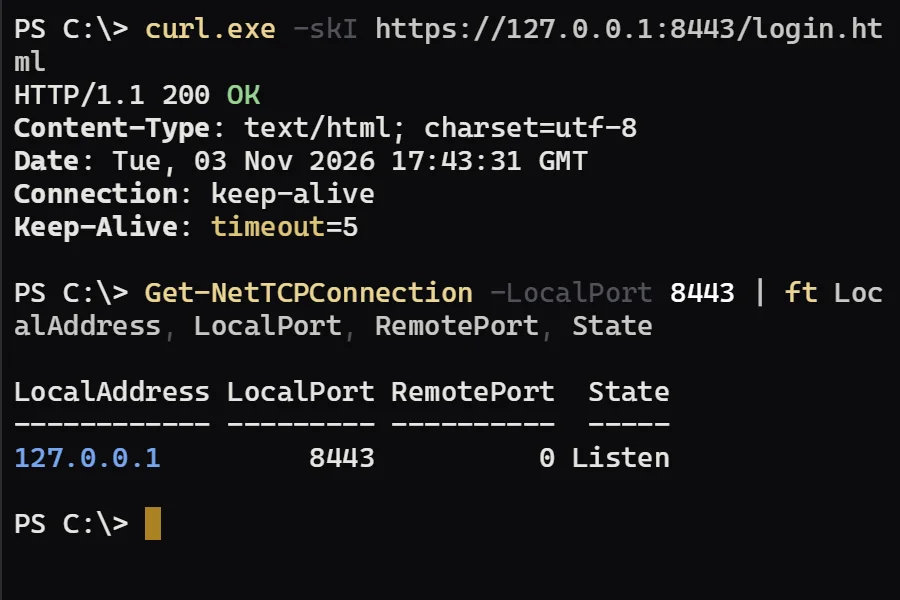
WinRM opens PowerShell on a Windows host: the local PowerShell (7 if installed) enters a session there, as your Windows login or as a user. The user’s password comes from the session’s shared login or a remembered one, and reaches PowerShell in an environment variable that PowerShell removes at once, never on the command line.
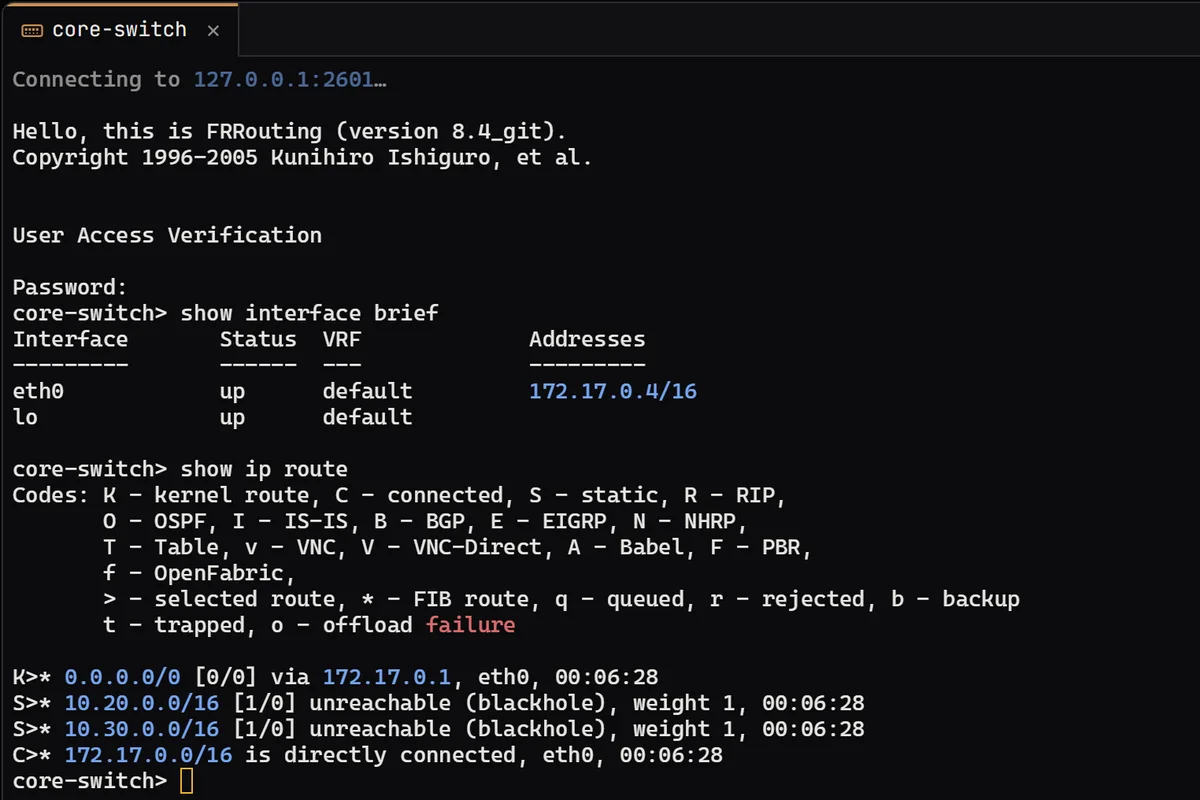
Serial ports and the local shell open in tabs like any other session: ConPTY on Windows, a pty elsewhere. Telnet negotiates window size and terminal type, for switches, routers and serial servers.
Questions about remote desktops.
Can I use RDP and SSH in one app?
Yes. RDP and VNC desktops open as tabs next to your SSH, telnet, serial and WinRM terminals, in one window. Split them into panes, and one shared login works for all of them.
Is the VNC connection encrypted?
VNC itself isn’t, and XTermium says so over the desktop, unless the connection goes through an SSH gateway or a tunnel’s local port, where SSH encrypts it.
Which BMC consoles open in a tab?
Supermicro and Dell iDRAC consoles. XTermium signs in with the saved login and opens the console in a private tab, which keeps nothing once it closes.
Is it free?
XTermium is free and open source under the Apache License 2.0: every connection type, on every OS, on any number of machines. Pro, the one paid plan, is the hosted part: end-to-end encrypted sync between your computers, and Terminal Co-op.
Is XTermium a remote desktop manager?
Yes. XTermium keeps RDP, VNC, BMC console and WinRM sessions in folders, with shared logins and saved layouts, and opens them as tabs beside your SSH terminals. It is free and open source under the Apache License 2.0, on Windows, Linux and macOS.
Read next.
SSH client
SSH sessions, SFTP, jump hosts and tunnels, in tabs.
Read more about SSH clientAI agents
A local MCP server and agent tabs that never see a password.
Read more about AI agentsCredentials
Shared and saved logins, encrypted on disk, kept out of exports.
Read more about CredentialsAlternatives
XTermium next to MobaXterm, Termius, mRemoteNG, Royal TS and PuTTY.
Read more about AlternativesScreens
Every capture of the running app, with demo data.
See the screens about Screens
Get it for Windows, Linux or macOS.
Free and open source. One command fetches the latest build from GitHub, checks its sha256 and installs it; read install.ps1 or install.sh first. Every file and its checksum, Scoop included, are under Downloads, and the .msi, .exe, .zip, .deb, .rpm, AppImage and .dmg are in the latest release on GitHub. The macOS app is not signed by Apple yet: how to open it the first time.
WindowsWindows 10 and 11
irm https://xtermium.com/install.ps1 | iexLinuxx64: .deb, .rpm or AppImage
curl -fsSL https://xtermium.com/install.sh | shmacOSApple silicon and Intel: one universal .dmg
curl -fsSL https://xtermium.com/install.sh | sh